
Designing a utility network is more than just a graphical representation of lines and symbols on a map. Whether it is electricity, gas, water, or telecoms, a reliable and future-proof network design depends on solid ‘Asset Management’ within a geographic information system (GIS).

What network components or ‘assets’ are underground?.
Where exactly and since when?
What is the capacity and what are the technical characteristics of the assets?
Where and when is there a risk of network congestion?
How are cables and network components connected, can it be expanded?
Where should the technicians go in case of a malfunction?
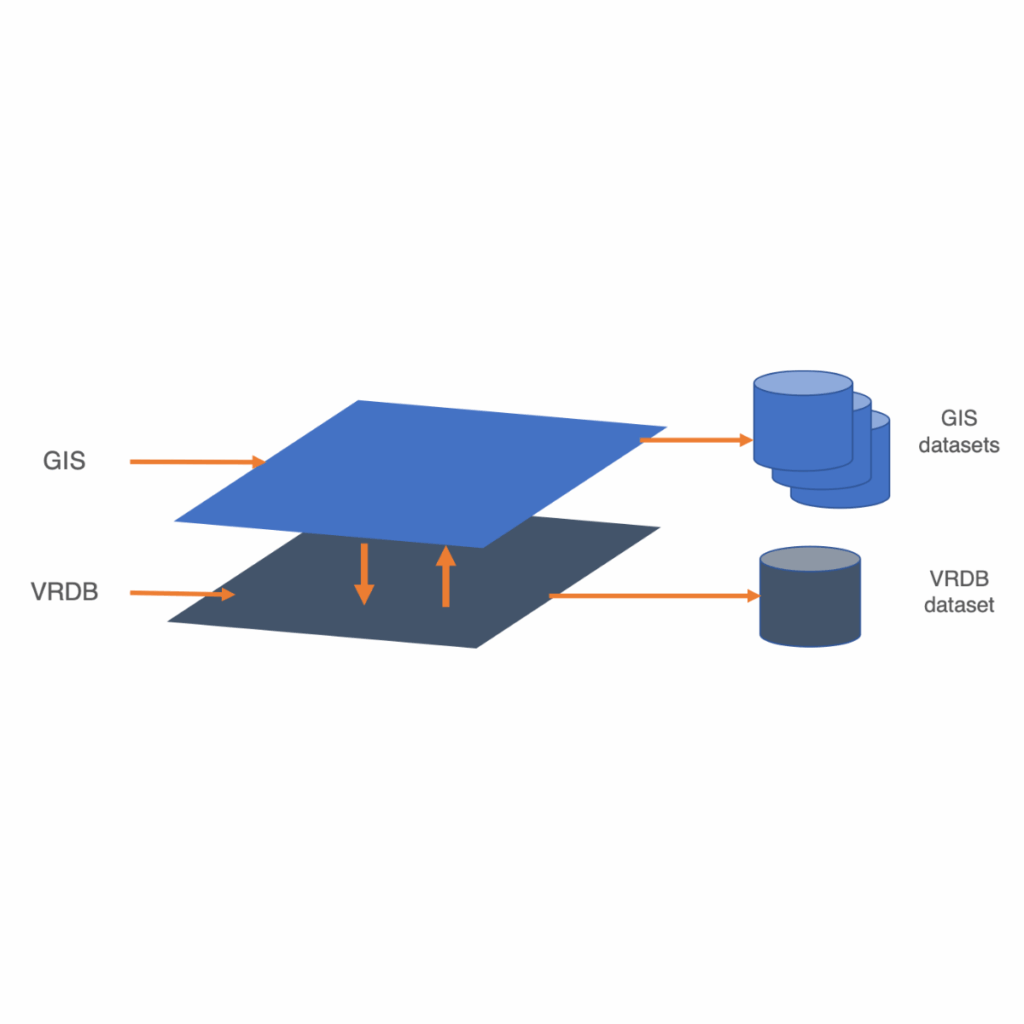
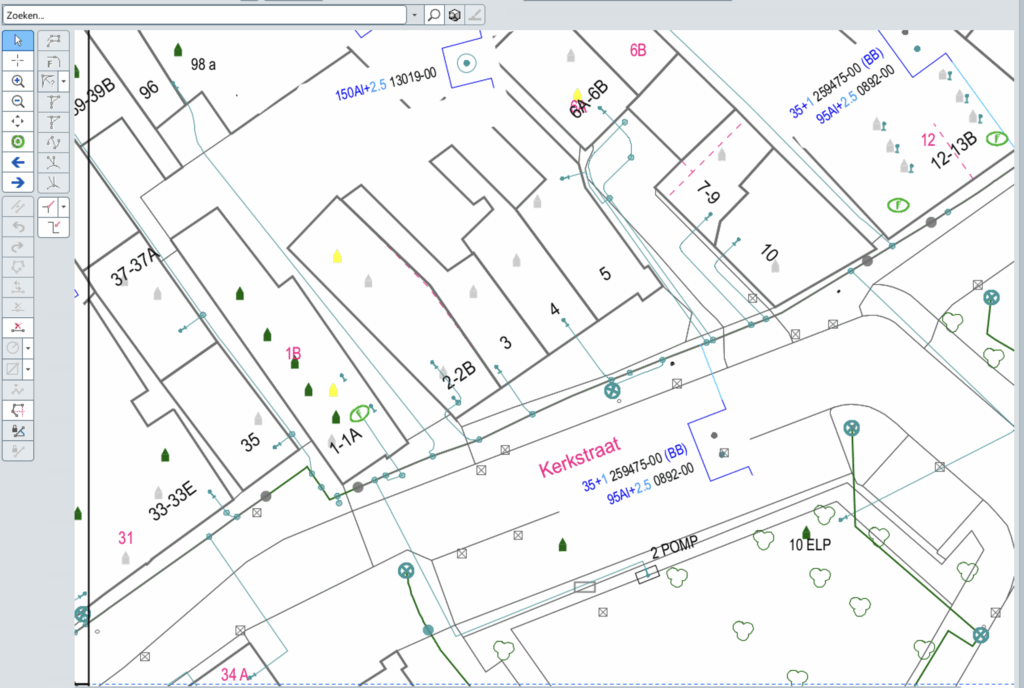
The concept of the VRDB system can be visualized as a separate layer beside the GIS database, as illustrated here. The data in this layer is stored using a customized abstract data model in a separate GE Smallworld™ database.
When a user starts a new design, called a ‘variant’ in VRDB, a copy of the data in GIS is being created and loaded into VRDB. This abstract copy contains all the information of the original database such as geometry and attributes. Based on this data, the user can further expand the new design enjoying the freedom of adding, manipulating and removing objects without touching the original GIS data. All variants are safely tracked by a version control management system.
Storing all information in an abstract database is helpful to keep different layers transparent, to execute and maintain projects. It allows the user to quickly get an overview of all planned projects and their status, empowering the user to analyze both technical and financial aspects.
VRDB also offers the possibility to upload revision data from the field into the abstract database for review and validation before the GIS database is being updated with the ‘as-built’ information.
- There is practically no limit to the number of variants (designs).
- Variants are hierarchical alternatives and can inherit objects from their ‘parents’.
- Each variant has its own lifecycle.
- Provides a fully integrated authorization system.
- Integrated Symbol Library.
- Suitable for electricity, gas, water, and telecom.
- Makes 3D aspects such as risers in buildings visible.
- Integrated query and network analysis system.
- High degree of data manipulation flexibility.
- Combines the advantage of all designs in one database with the flexibility of a CAD system.
- Having all variants in one alternative will facilitate access to all designs by other systems/web.
- Easy installation, no changes are made to the existing GIS environment.
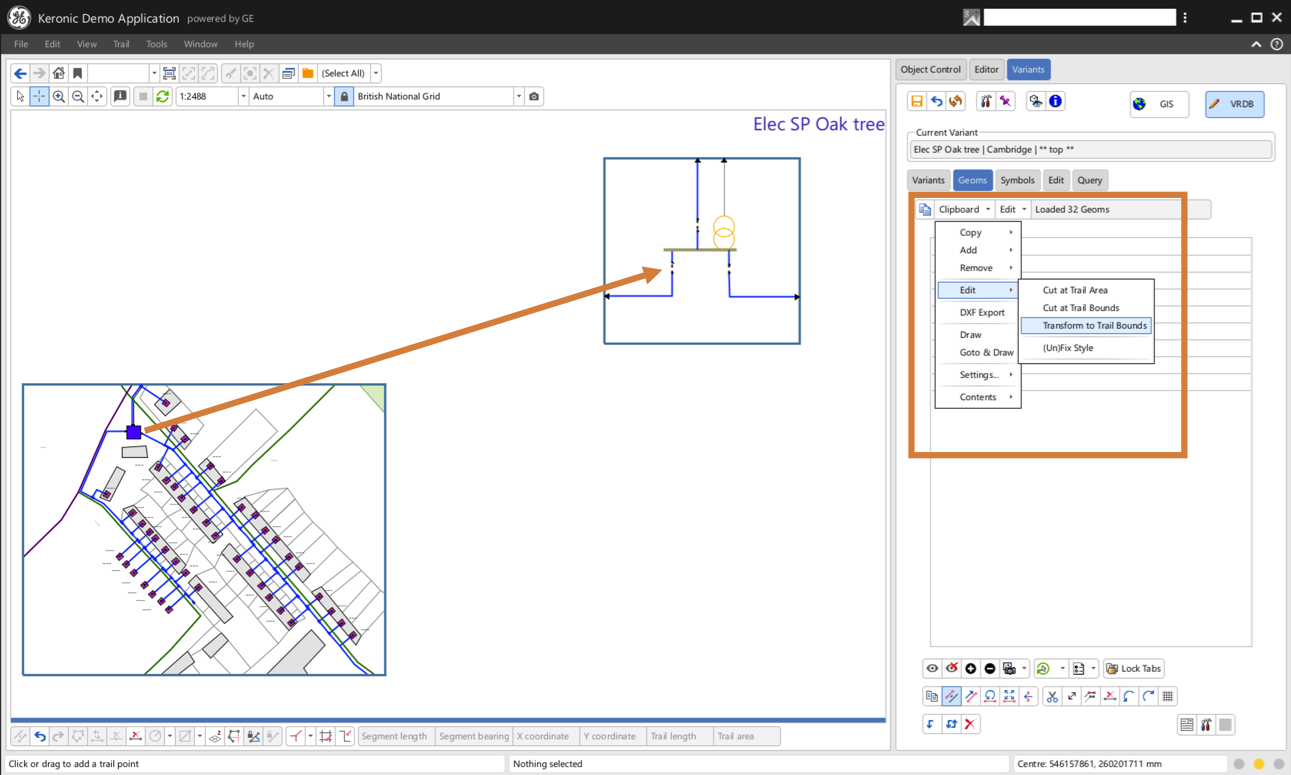
Data is copied from data sources of the SOC/SOM mechanism of GE Smallworld™ to a clipboard of the VRDB. There they can be visualized, transformed, and then loaded into the VRDB.
In the same way, data from a variant (design) can be copied to the clipboard, transformed, and then loaded into a variant. This proves to be a very powerful tool for adding details and/or reusing (parts of) other designs.
An integrated symbol library allows the user to save symbols (part of a design) and visualize and load them into VRDB via the Symbol Interface, facilitating the reuse of specific design details. This also makes it possible to normalize designs. The interface is highly customizable to specific user requirements and is part of the VRDB authorization system. Certain entities in the interface cannot be selected if the user does not have the appropriate rights. For example, creating specific geometry items from object management may only available to ‘super-users’.



- Future-ready. Compatible with GE Smallworld™ 6.0 and designed to simplify the rollout of data model updates in future VRDB releases.
- Scalable. Multiple VRDB instances can now run simultaneously within a single session.
- Faster. Search performance has been significantly improved through smart indexing of keys and labels.
- Simplified administration. Creating, configuring, and organising subsets has become more intuitive and accessible for administrators.
- Improved documentation. A completely redesigned, searchable documentation portal, available in Dutch, English, and German.
- Clearer DXF import/export. Configuration options are now explicitly documented, while more informative error messages help users quickly identify and resolve issues.
Have a question about GE Smallworld™, our products, or consultancy support? Tell us what you’re working on!
The Keronic software tools take work off your hands, automate routine tasks and improve the quality of data and network design in general. Without exception, the Keronic Software products are high-quality solutions built for and by specialists on
the GE Smallworld™ platform.
VRDB
GRID Design
The Variants Database (VRDB) enables users to create grid designs providing version control, without imposing structural constraints.
3ntrans
Revision Automation & Validation
Update your GIS Database with CAD data from ‘registration at the trench’.
mMojo (Magik Mojo)
Magik Software Development modules
Packaging functionality that saves time and effort when deploying.
your MagikTM code.
Q2Q (Query to Quality)
Quality routines without code
Manage quality routines in GE Smallworld™ without programming.
Bespoke Software Development
Professional software development services for the GE SmallworldTM environment.
Company Registration: 70046336
VAT ID: NL858117757B01
Privacy Statement
Utopialaan 40,
5232 CE ‘s-Hertogenbosch
+31 73 833 01 01
info@keronic.com